
TERRAMASTER F4-424 Pro Review: The Best Proxmox Mini PC Base for Your Homelab in 2026?
🎧 Listen to the 60-Second Audio Recap:
My old QNAP TS-669L had a good run. I bought it roughly 12 years ago, and three years back I bodged it into running TrueNAS via an external SSD. That hack finally ran out of road. I needed a replacement that could do double duty as a lean Proxmox host and still handle serious NAS storage. Proxmox is a type-1 hypervisor, meaning it runs directly on the hardware and lets you spin up multiple virtual machines. My requirements were non-negotiable: at least four 3.5-inch drive bays, at least two internal NVMe SSD slots, enough RAM to actually run a full homelab, and at minimum 2.5 Gigabit Ethernet. Storage drives are eye-wateringly expensive right now because AI datacenters are hoovering up every platter they can find, so I needed the bays.
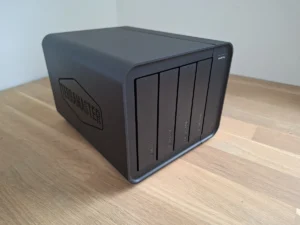
The TERRAMASTER F4-424 Pro checked every box on paper. It ships with an Intel i3-N305 CPU, which benchmarks at nearly twice the speed of the popular N100 chip found in budget mini PCs. It comes with 32 GB of DDR5 RAM already installed. Buying that stick separately costs a minimum of €350 right now. It has dual NVMe slots and dual 2.5G Ethernet ports. I found it on Amazon with a 20% coupon and paid €727.99. It arrived the next day, no drama.
The question is whether the hardware ambition is matched by the rest of the package. Mostly yes, with some genuinely irritating caveats.
Disclosure: This post contains affiliate links. If you purchase something through these links, we may earn a commission at no extra cost to you. We only recommend products we genuinely use and love.
TL;DR Verdict
The TERRAMASTER F4-424 Pro works as advertised with its stock software. It becomes a genuinely different machine when you install Proxmox on it. The money went into the hardware that matters: the N305 CPU, the 32 GB DDR5 RAM, the dual NVMe slots. Almost everything else feels cut to the bone. The plastic chassis is hollow and noisy, the stock OS feels unfinished, and a broken QR code on day one is an embarrassing own goal.
If you want a capable, power-efficient homelab foundation and you are prepared to wipe TOS on day two, this is a solid buy at the coupon price. If you want a polished NAS appliance, look elsewhere.
Score: 7 / 10
Pros and Cons
- Pro: A ready-to-go homelab foundation out of the box
- Pro: 32 GB DDR5 RAM included — worth roughly €350 bought separately
- Pro: Power-efficient but genuinely capable Intel i3-N305 processor
- Pro: Dual 2.5G Ethernet and dual NVMe slots are the right spec choices
- Pro: Tool-less 3.5-inch drive installation works cleanly
- Con: Does not feel like a premium product — plastic everywhere
- Con: Drive noise is clearly audible through the hollow plastic enclosure
- Con: TOS (the stock NAS operating system) feels unfinished
- Con: The QR code on the unit links to a broken page — unacceptable in 2025
- Con: Included screws are made of soft material and strip easily
What Is in the Box
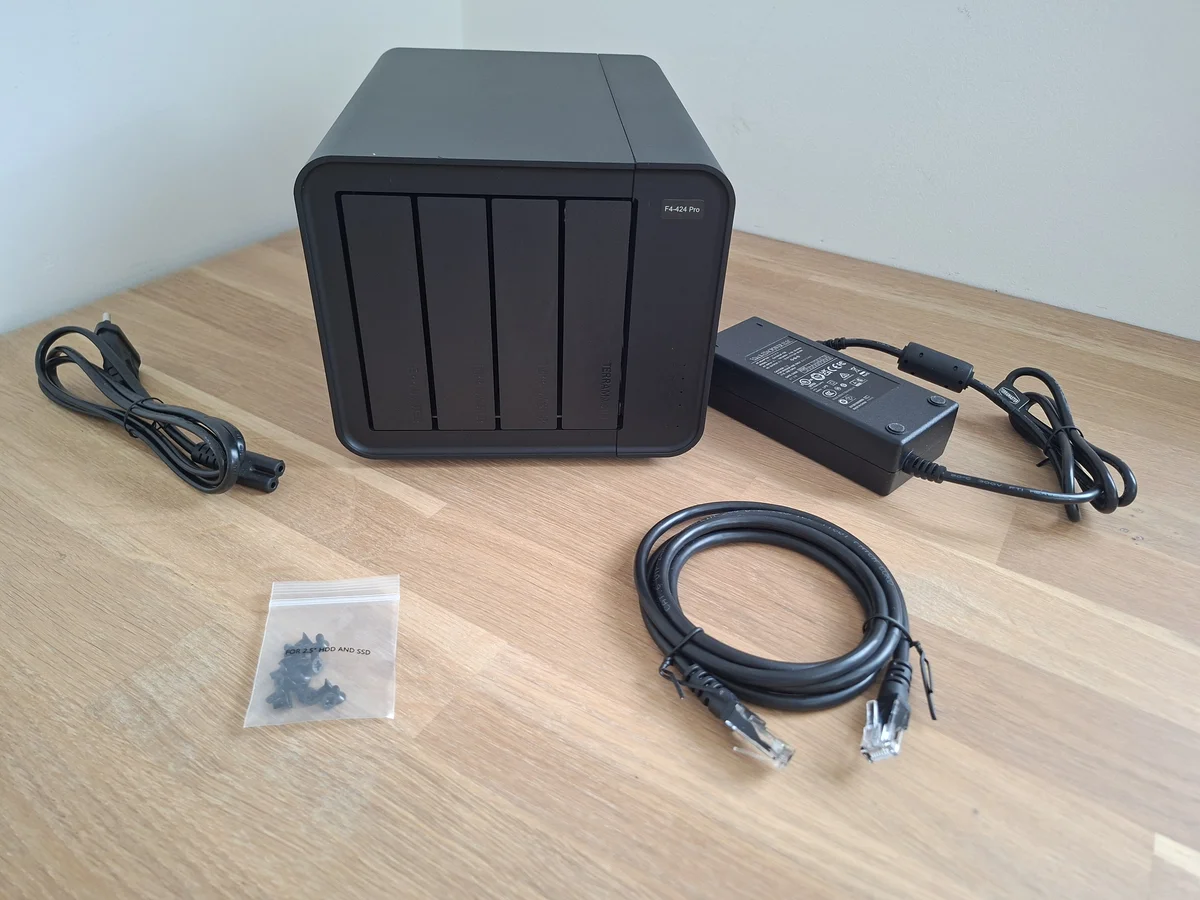
The F4-424 Pro ships in a plain brown cardboard box. Sturdy, not glamorous. I prefer this. I would rather the budget go into the silicon than the packaging. Inside, the NAS sits in firm foam. The accessories box contains an external power brick, a power cable with the appropriate 8-pin connector for mains voltage, a Cat 6 UTP network cable, a bag of screws for mounting 2.5-inch drives, three small booklets, and a sticker sheet for labeling your drive bays. Everything you need to get started, assuming you already have drives.
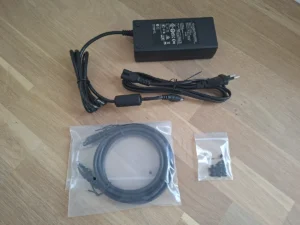
One note on that power supply. It is external, which some people dislike. I have no strong objection. It keeps heat out of the enclosure and makes replacement straightforward if it ever fails.
Build Quality: Light, Hollow, and Functional
My first reaction when I picked up the unit was surprise at how light it felt. The outer shell is plastic. The drive trays are plastic. The TERRAMASTER branding is prominent on the side. It does not feel like my old QNAP. It feels cheaper.
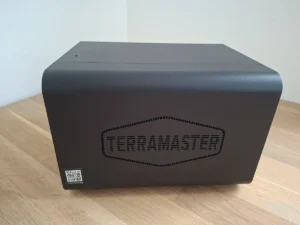
That said, it does not cross the line into feeling like a toy. The money clearly went somewhere, and that somewhere is the internals. I had seen photos online where the drive trays appeared to be mismatched colors. On my unit they were uniform, so that may have been a batch issue or a camera artifact.
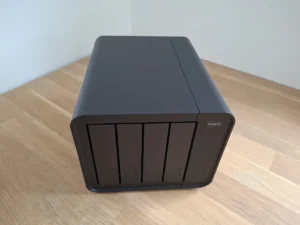
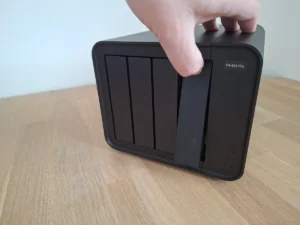
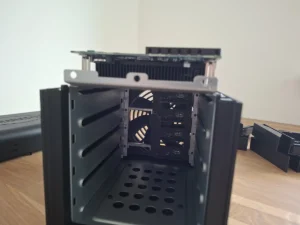
The drive trays open by pressing on the inside of the front panel, which acts as a handle. Once all four trays are out, you have a clear view of the backplane at the rear of the drive cage. Looking straight through the chassis, you can see the rear exhaust fan on the other side. The airflow path is direct and unobstructed, which is a good sign for thermals.
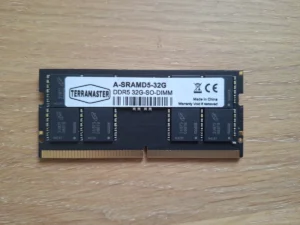
To access the NVMe slots and the RAM, you remove two screws at the back of the unit. There is one memory slot, occupied by an A-SRAMD5-32G SODIMM. The chips on that module are marked 3UB75 D8BTB, which are Micron dies. Both NVMe mounting positions are easy to reach and support the M.2 2280 form factor only. That is the standard 80mm length used by virtually all consumer NVMe drives, so this is not a limitation in practice.
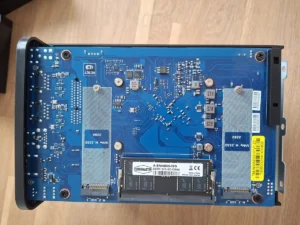
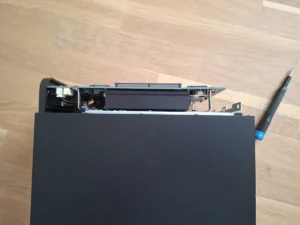
Between the mainboard and the drive cage sits a solid heatspreader plate with no dedicated fan of its own. The single large rear fan is expected to cool both the drives and the processor. I had concerns about whether that would be sufficient under sustained load. More on that in the thermals section.
There is also a small USB header on the underside of the mainboard with a short USB stick plugged into it. This appears to be the boot device for TOS, TERRAMASTER’s proprietary NAS operating system. It is not user-accessible in normal operation.
Drive Installation
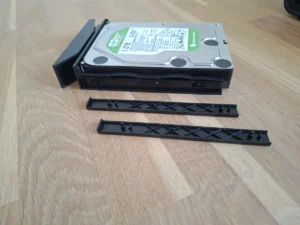
I tested several drive types in the trays. A standard 3.5-inch HDD went in cleanly. Plastic clips on the sides of the tray lock the drive in place without tools. This is the correct way to do it and it works well.
A thick 2.5-inch HDD required removing a plastic clip to position the drive over the screw holes. The clip is small. Losing it would be easy. It fit fine once positioned.
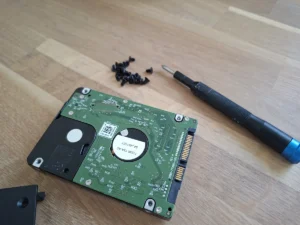
A standard SATA SSD also installed without issue using the included screws. Here is where I ran into a real problem. The SSD had a metal housing. The included screws are made of noticeably soft material and I stripped the head on one before I had fully tightened it. Use your own quality screws for 2.5-inch drives.
Specifications at a Glance
- CPU: Intel i3-N305, 8 cores, 8 threads, 3.8 GHz boost
- GPU: Intel UHD integrated graphics at 1.25 GHz
- RAM: 32 GB DDR5 4800 MHz non-ECC SODIMM (single slot)
- Drive Bays: 4 x 3.5-inch (also fits 2.5-inch with adapter)
- NVMe Slots: 2 x M.2 2280
- Ethernet: 2 x 2.5 Gigabit
- RAID Support: RAID 0, 1, 5, 6, 10, JBOD, Single, TRAID
- Price Paid: €727.99 with 20% coupon on Amazon
The N305 is worth understanding in context. It is an Alder Lake-N efficiency chip designed for low power draw rather than peak throughput, but it has eight real cores. In Cinebench and Geekbench multi-core tests, it scores roughly 1.8 to 2 times higher than the single-core-focused N100 that powers most budget NAS and mini PC devices. For running multiple Proxmox virtual machines simultaneously, that difference is meaningful. If you want to understand how this class of hardware performs as a Proxmox host, our review of the AVATTO HA 70 gives useful context on what the lower end of this CPU tier looks like in a home automation workload.
First Boot and TOS Setup
On the side of the unit is a sticker with a QR code to download the TNAS mobile app. I scanned it. The page did not load. This is a basic failure. A QR code on a shipping product that points to a broken URL is embarrassing and not a difficult thing to maintain. I found the app in the Google Play Store without much trouble, but that is not the point.


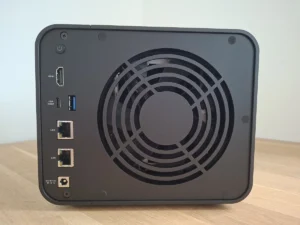
With the app installed, I connected the power adapter and a network cable into one of the two 2.5G ports. The ports have no labels or numbers, which is a minor annoyance. I pressed the power button, which is on the rear of the unit — an unusual placement. The unit beeped once on startup, the drives spun up, and after a short time it beeped three times at a higher pitch. It then appeared in the app.
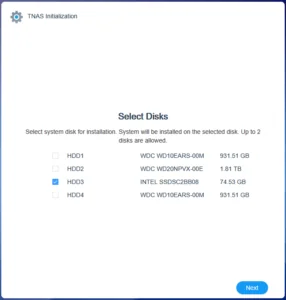
From there I opened the web interface on my PC. I received a drive compatibility warning and clicked through. I selected a small SATA SSD sitting in a drive bay rather than an NVMe drive for the OS install, clicked through the wipe confirmation, chose to download the latest software version, and waited a few minutes while the NAS rebooted.
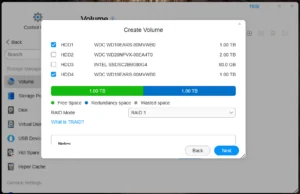
Account creation worked smoothly. Email verification functioned correctly. I created a storage pool using two 1 TB WD test drives in RAID 1, which writes data identically to both drives for redundancy. I skipped TRAID, TERRAMASTER’s proprietary RAID variant, for this test. An SMB share had already been created automatically and was accessible from Windows Explorer, protected by the user account credentials. That part worked without any manual configuration.
Real-World Transfer Performance
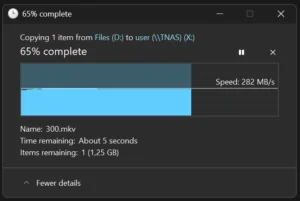
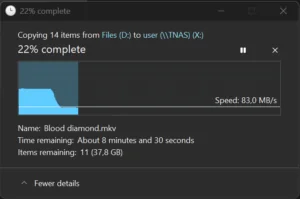
I copied a 4 GB file to the NAS over the 2.5G network connection and measured 282 MB/s. That is close to the theoretical ceiling of a 2.5 Gigabit link, which maxes out at around 312 MB/s. The test drives were slow mechanical HDDs and they kept up at that speed. On a larger transfer, speed dropped to around 90 MB/s after about a minute. This is consistent with the HDDs hitting their sustained sequential write limit. The network and the NAS controller were not the bottleneck. With NVMe drives or faster HDDs, you would saturate the 2.5G link cleanly.
Power Consumption
I measured power draw at the wall with a plug-in watt meter.
- Powered off: 1.3 W (standby draw from the external PSU)
- Powered on, no drives: 15.7 W
- Powered on with 2 x 1 TB WD HDD, 1 Intel SATA SSD, 1 WD 2.5-inch 2 TB HDD, during RAID sync: 29 W
29 watts under active RAID synchronization with four drives spinning is a good result. For a device running 24/7 as a Proxmox host, that translates to roughly 254 kWh per year at full load, and considerably less at idle. A typical desktop PC running the same workload would consume three to five times that figure.

Thermals and Noise
The plastic enclosure is acoustically hollow. Drive noise travels straight through it. With mechanical HDDs installed, the spinning and seeking is clearly audible. If this NAS will live in your office or bedroom, that matters. In a dedicated server closet or utility room, it is irrelevant. A metal chassis would absorb significantly more vibration and noise. At this price point, that feels like a missed opportunity.
The single rear fan handles both drive and CPU cooling. Under the loads I tested, thermals were not a concern. The direct airflow path through the chassis is a genuine engineering positive. Under Proxmox with multiple VMs running, the passive heatspreader plate combined with the rear fan should be adequate for typical homelab workloads.
The Real Use Case: Proxmox, Not TOS
TOS works. It is not impressive. It feels unfinished in places, the broken QR code on day one set the tone, and the security warnings on first boot without clear guidance are not confidence-inspiring for less experienced users.
The F4-424 Pro becomes a different machine when you install Proxmox on it. Proxmox VE is a free, open-source hypervisor based on Debian Linux. You install it on one of the NVMe slots, point your VMs at the second NVMe slot or the drive bays, and you have a power-efficient server capable of running Home Assistant, a full TrueNAS SCALE instance, a Pi-hole DNS server, and several other services simultaneously. The N305’s eight cores and 32 GB of DDR5 RAM make this a credible proposition. If you are building out a home automation stack on top of this, our guide on expanding a Home Assistant setup for under €30 covers the kind of Zigbee integration you would run as a VM or container on exactly this type of host.
The dual NVMe slots are the key feature for this use case. Install Proxmox on one. Use the second as fast VM storage. Keep the four drive bays for bulk storage under a TrueNAS VM or direct Proxmox storage. This is a clean, well-structured homelab architecture in a single low-power box.
Competition: UGREEN NASync DXP4800 Plus
The most direct competitor I considered was the UGREEN NASync DXP4800 Plus, available for around €579. It is cheaper and reportedly feels better built. However, it ships with an Intel Pentium Gold 8505 processor and only 8 GB of RAM. The 8505 is a noticeably weaker chip than the N305 in multi-threaded workloads. Buying 24 GB of additional RAM to match the TERRAMASTER’s 32 GB would add meaningful cost to the UGREEN’s price. The UGREEN’s published power consumption figures are also higher than the F4-424 Pro’s measured numbers. If raw compute and included RAM matter more to you, the TERRAMASTER wins on those metrics despite the higher asking price.
Final Verdict
The TERRAMASTER F4-424 Pro is not a refined product. The plastic chassis feels cheap, the stock OS is mediocre, and soft screws that strip on first use are an unforced error. These are real flaws at a price north of €700.
But the hardware core is correct. The N305 is the right processor for this job. 32 GB of DDR5 at this price is genuinely competitive once you factor in the cost of buying that RAM separately. Dual NVMe, dual 2.5G, four drive bays, and measured idle power under 16 watts is a specification sheet that works for a homelab Proxmox host.
Buy this expecting a polished NAS appliance and you will be disappointed. Buy this as a Proxmox foundation and treat TOS as something to wipe on day two, and you have a capable, efficient homelab base that holds its own at the coupon price.
Check the current price on Amazon
Frequently Asked Questions
Can you install Proxmox on the TERRAMASTER F4-424 Pro?
Yes. Proxmox installs cleanly on one of the two M.2 NVMe slots. The Intel i3-N305 CPU supports hardware virtualization, and the 32 GB of DDR5 RAM provides enough headroom to run multiple virtual machines simultaneously without hitting memory limits.
Is the TERRAMASTER F4-424 Pro quiet enough for a home office?
With mechanical hard drives installed, no. The plastic enclosure does not absorb drive vibration effectively, and spinning HDDs are clearly audible. With only SSDs installed, the noise profile improves significantly. A dedicated utility room or server closet is the better placement for this unit.
How does the TERRAMASTER F4-424 Pro compare to the UGREEN NASync DXP4800 Plus?
The UGREEN is cheaper at around €579 and reportedly offers better build quality, but ships with a weaker processor and only 8 GB of RAM. The TERRAMASTER costs more but delivers a faster CPU and 32 GB of RAM out of the box. For a Proxmox homelab workload, the TERRAMASTER’s compute advantage is the more relevant differentiator.